

How to Make AI Videos for TikTok, Reels and Shorts
A practical short-form AI video workflow: build the hook first, prompt for motion instead of stills, batch your generations, then edit for each platform.
Dala Team
· 5 min read
Guides · How to
On this page
Short-form video is a hook competition. The platform decides in the first two seconds whether anyone sees the rest. AI video generation helps most when you treat it as a shot factory, not as a magic "make me a viral video" button.
This guide is the workflow we recommend: decide the hook, prompt for motion, generate more than you need, then edit for the platform you are publishing to.
Start with the hook, not the tool
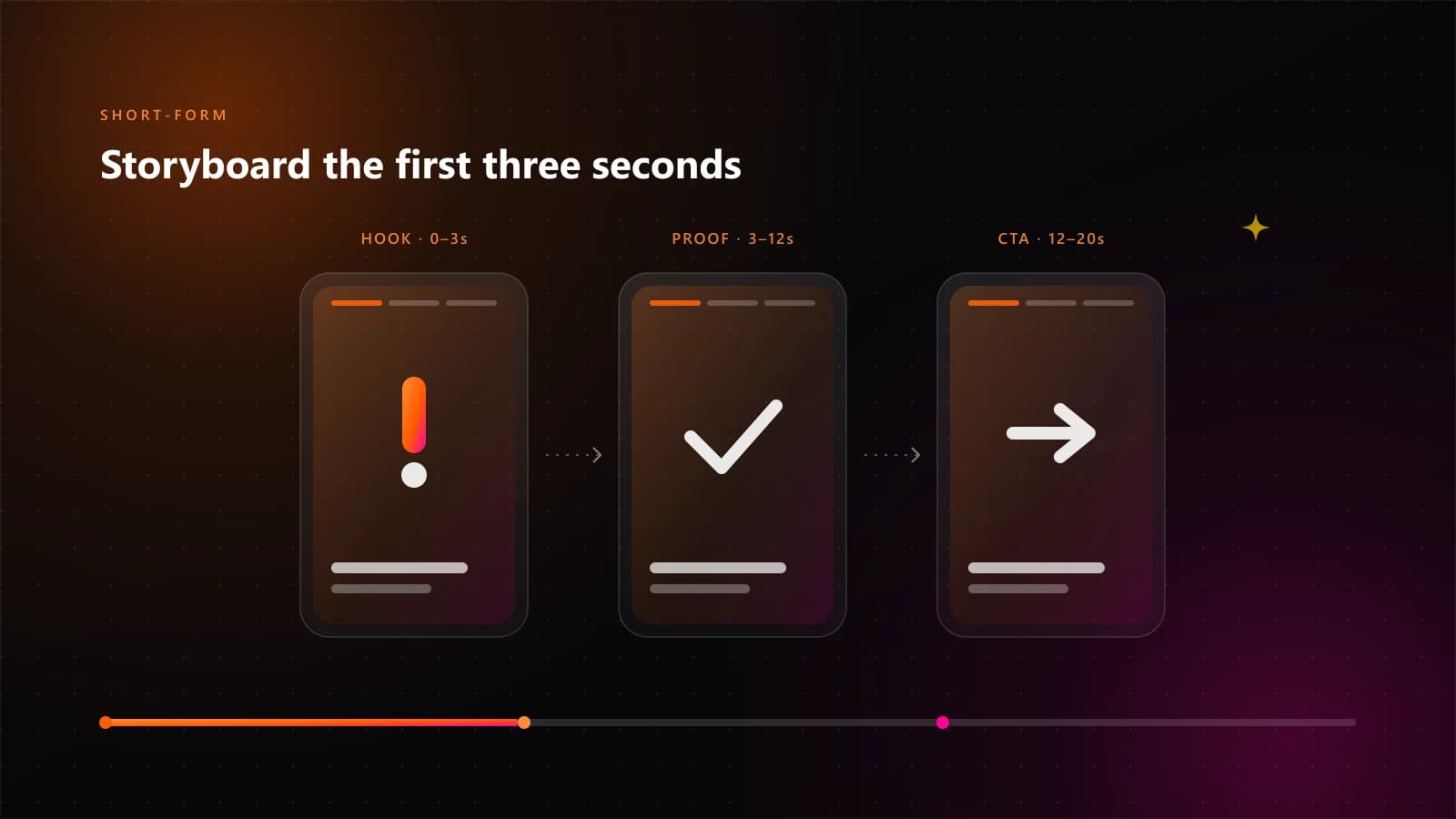
Write the first line before you open any generator. It can be:
- a question the viewer already asks themselves
- a surprising number or claim
- a visual that does not make sense until the end
- a direct call-out to one specific audience
If the first two seconds do not carry that line, the rest of the video does not matter. Keep the hook short enough to say or show in under three seconds.
Choose the format before you prompt
Aspect ratio and length change how you write the prompt. Decide these first:
| Platform | Aspect ratio | Sweet spot | Notes |
|---|---|---|---|
| TikTok | 9:16 | 15–30s | Native captions; fast cuts |
| Instagram Reels | 9:16 | 15–30s | Cover frame matters in the profile grid |
| YouTube Shorts | 9:16 | 20–45s | Slightly more tolerance for a slow build |
| In-feed square | 1:1 | 10–20s | Useful as a secondary cut |
Do not generate a 16:9 video and crop it later unless you framed the shot for it. Re-render at the target ratio instead.
Write a prompt that describes motion
A still-image prompt describes a scene. A video prompt has to describe what changes. A reliable structure is:
- Shot — close-up, wide, handheld, drone, macro
- Subject — who or what is on screen
- Action — what moves, and in which direction
- Camera — locked off, slow push in, pan, orbit
- Light — time of day, direction, contrast
- Mood — the feeling the shot should carry
Shot: slow push-in, close-up
Subject: a young entrepreneur arranging hand-woven baskets on a market stall
Action: hands move one basket into place, fabric shifts in the breeze
Camera: steady, eye level, gentle forward movement
Light: warm late-afternoon sun from the left
Mood: calm, confident, premium
Then keep the prompt stable and change one variable at a time. If you change the shot, the subject and the light together, you will not know which change helped.
Generate more takes than you need
Plan for three takes per shot, minimum. Generation is cheap relative to editing time. When you review:
- Motion quality — does the subject move like it has weight?
- First frame — would this stop someone scrolling?
- Last frame — does it cut cleanly into the next shot?
- Consistency — does the subject still look like the same product or person?
Keep the best take and move on. Perfectionism in generation is how a one-hour video becomes a three-day project.
Edit for the platform, not the model
The edit is where most AI videos win or lose. Four passes:
- Cut to the hook. Get to the promise in under three seconds.
- Add captions. Most viewing happens without sound. Burn in short, high-contrast lines.
- Fix the audio. A simple beat and one clear voice-over beat a busy soundscape.
- Design the loop. If the last frame flows into the first, replay rate improves.
Keep the text away from the bottom quarter of the frame where platform UI sits.
A repeatable weekly workflow
- Monday — pick three hooks and write one sentence for each
- Tuesday — generate 9–12 shots across the three videos
- Wednesday — edit all three, captions and audio included
- Thursday — publish, then note the first-hour retention for each
- Friday — keep the hook format that held attention; drop the one that did not
That is a content system, not a content sprint. It also gives you data after one week instead of after one viral accident.
Common mistakes
- Prompting a whole video in one line. Break it into shots.
- Ignoring the first frame. The thumbnail is a retention decision.
- Using the same prompt for every platform. Ratios and pacing differ.
- No captions. You lose the silent-viewing majority.
- Chasing a new model every week. Consistency compounds; novelty does not.
Where Dala Studio fits
Dala Studio generates video from a prompt in the same studio where you build a website or app, generate images, or make music. It runs on Gemini, Claude, Qwen, DeepSeek, Wan 3.0 and MiniMax H3, and you can prompt in 18 languages. There is a free plan, and credit top-ups start at $1 with no compulsory subscription.
If you are testing a format, generate the shots first and spend your time on the hook and the edit. That is where the difference is measurable.
Answers
Frequently asked questions
How long should an AI-generated short video be?
Most platforms reward completion. For TikTok, Reels and Shorts, 15 to 35 seconds is a reliable starting range. One idea per video beats three ideas crammed into 60 seconds.
Do I need to show my face to make short-form video with AI?
No. Product shots, motion graphics, faceless narration, text-led explainers and b-roll all work. What matters is that the first two seconds give the viewer a reason to keep watching.
How many generations should I plan for?
Generate at least three takes per shot. Pick the take with the cleanest motion, then fix pacing in the edit. Rendering extra takes is cheaper than trying to rescue a weak one.
Start creating
Turn the idea into a working product
Describe what you want in your own language. Dala Studio builds the website, app or game, generates the video and images, or makes the music — from one credit balance.